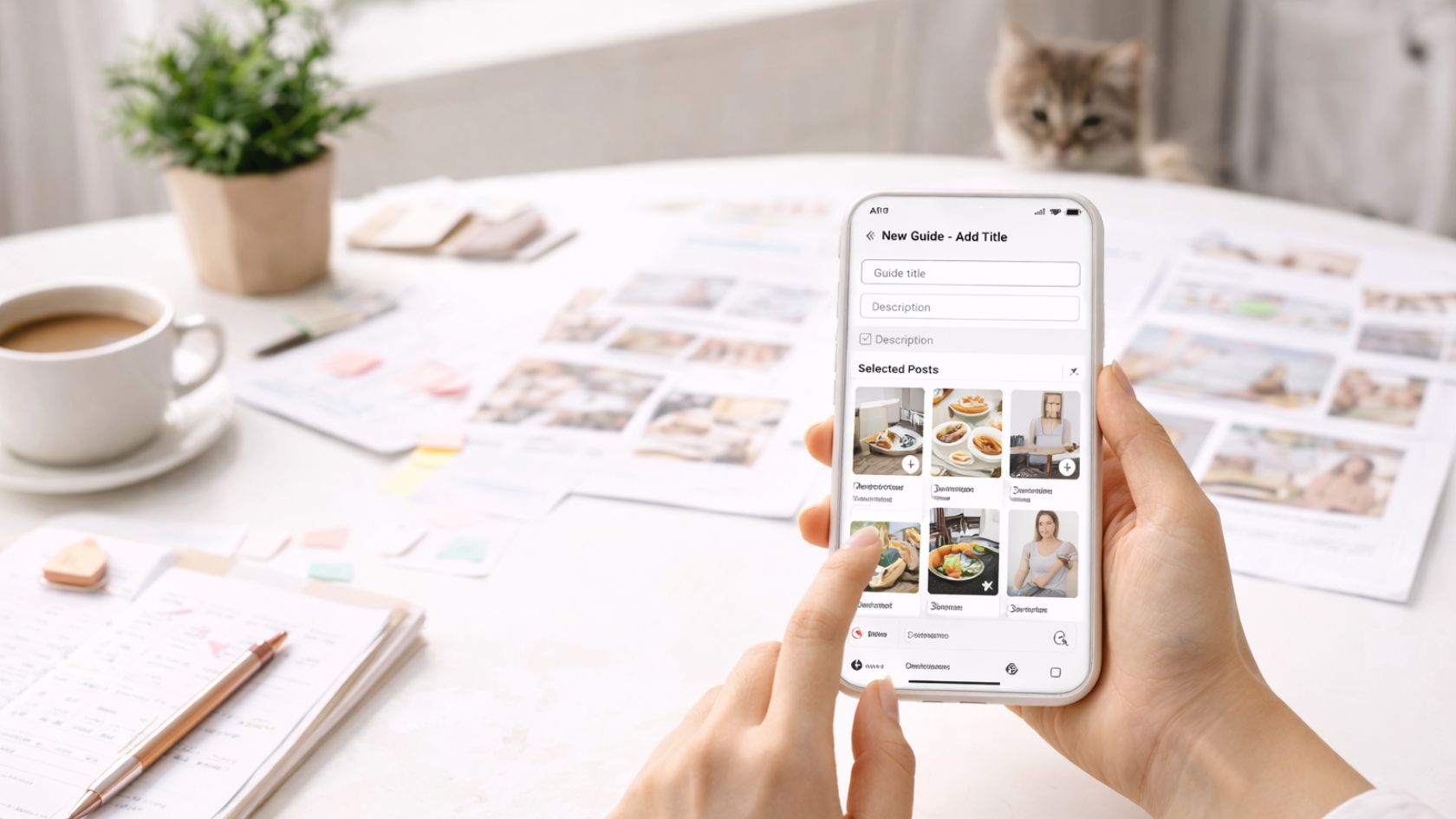
Creating Effective Instagram Guides: A Step-by-Step Playbook for Instagram Guides

Instagram Guides are one of the most practical ways to turn everyday posts into a curated, scroll-friendly resource that feels like a mini blog inside Instagram.
Instead of relying on one-off posts or Stories that disappear, a Guide lets you package value into a sequence people can save, revisit, and send to friends—especially when you pair it with strong content fundamentals like those outlined in engaging social media content planning.
In this article, you’ll learn exactly how to create effective Guides, how to structure them so they read clearly on mobile, and how to write descriptions that feel natural (not spammy) while still supporting your discovery and conversion goals.
We’ll also treat your Guide like a real piece of publishable content—using clear headers, intentional keyword placement, and skimmable formatting inspired by modern SEO writing best practices so it performs both inside Instagram and when people land on your profile from search.
Why Instagram Guides work (and when to use them)
Instagram is naturally “feed-first,” but people increasingly use it like a search engine: they look for recommendations, tutorials, routines, and product roundups. A Guide is perfect for that behavior because it organizes content into a logical sequence—more like an article than a timeline.
Use Guides when you want to:
- Educate: step-by-step tutorials, “start here” onboarding, FAQs, or myth-busting.
- Curate: your best posts on a topic, seasonal highlights, community spotlights, or event recaps.
- Convert: product collections, service menus, case studies, and “how to choose” explainers.
- Build trust: resources, customer wins, behind-the-scenes process, and “our values” stories.
Quick mindset shift: A high-performing Guide is less about “posting more” and more about “organizing what already works.” If you have 10–30 solid posts on a theme, you’re ready.
Step 1: Choose the right Guide type for your goal
Instagram Guides typically fall into a few common formats. Choosing the right one first makes the writing and structure much easier.
1) Educational Guide (how-to or framework)
This is the best option when you want people to learn something. You’ll string together posts that each cover one step, one concept, or one mistake to avoid.
2) Curated “best of” Guide (starter pack)
This works well for creators and brands with lots of content. Think: “Start here,” “Top posts for beginners,” or “Our most saved tips.” The main value is clarity—people don’t have to dig through your profile.
3) Product or service collection Guide
If you sell, don’t just list items—explain how to choose. Add context like who it’s for, what problem it solves, and what to do next. This is where Guides can quietly outperform a single post because they reduce decision fatigue.
4) Community and recommendation Guide
Highlight partners, local businesses, creators, or user-generated content. These Guides are shareable because they make your audience feel included.
Step 2: Plan the structure before you start adding posts
Most Guides underperform for one simple reason: the posts are thrown in without a clear reading flow. Before you add anything, outline your Guide like you would outline a blog post.
Use a simple structure that fits on mobile
- Promise: What will someone get by reading this?
- Context: Why it matters (and who it’s for).
- Steps or sections: The main body (5–12 entries is a sweet spot).
- Wrap-up + next step: What should they do now?
Map each entry to a single job
Each post you add should do one job clearly—teach one concept, show one example, answer one question, or highlight one recommendation. If two posts do the same job, pick the stronger one or combine by summarizing one inside the description.
Step 3: Pick posts that support the story (not just your favorites)
When selecting posts for your Instagram Guides, aim for a mix of depth and momentum:
- High-saves posts (signals usefulness)
- High-comments posts (signals resonance)
- High-reach posts (signals broad appeal)
- Evergreen posts (still relevant in 3–12 months)
Then look for gaps. If your Guide promises a complete walkthrough, make sure you include content for common sticking points (setup, mistakes, troubleshooting, examples, tools, and next steps). If you’re missing a key step, add a new post later and update the Guide—one advantage is that Guides can evolve.
Mini checklist: “Should this post go in the Guide?”
- Does it match the Guide’s promise?
- Can someone understand it without extra context?
- Does it add a new angle (not a repeat)?
- Is it still accurate today?
Step 4: Write a clear Guide title and a strong description (without sounding robotic)
Your title and description do the heavy lifting. They tell a new visitor what the Guide is, who it’s for, and why they should keep reading. For SEO and clarity, include your focus keyword naturally in the title (done) and sprinkle related phrases in headings and descriptions where it makes sense.
How to write a better Guide title
- Start with a clear benefit: “Create,” “Learn,” “Fix,” “Plan,” “Grow.”
- Make it specific: add a timeframe, audience, or result.
- Keep it scannable: avoid stuffing too many ideas.
How to write a description that gets saves
Use 4 parts in 4–8 lines:
- Who it’s for: “If you’re a creator who posts tips…”
- The outcome: “…this will help you turn posts into a resource.”
- What’s inside: “You’ll get steps, templates, and examples.”
- How to use it: “Save this and revisit when planning content.”
Tip: Write like you’re helping a friend. Your keywords should feel like the obvious words you’d naturally use—not an extra layer pasted on top.
Step 5: Make it visually cohesive (so it feels intentional)
While Guides are text-forward compared to Reels, your Guide still sits inside a visual platform. Cohesion helps people trust that the Guide is “complete.”
Simple ways to increase cohesion fast
- Choose a theme: one topic, one audience, one promise.
- Lead with a strong first entry: your best, clearest post should be near the top.
- Use consistent post styles: similar covers, colors, or layouts where possible.
- Keep captions readable: short paragraphs, clear bullets, and decisive headlines.
Don’t worry if your older posts don’t match your current design perfectly. Use the Guide description and the order of posts to create the feeling of a guided journey. A good sequence beats perfect aesthetics.
Step 6: Add gentle calls-to-action that feel helpful
Effective Instagram Guides do convert—but the conversion is usually indirect: saves, follows, DMs, link clicks, and brand trust. The trick is to write CTAs that feel like the next helpful step, not a hard pitch.
CTA ideas that work well in Guides
- “Save this Guide so you can use it during content planning.”
- “Share this with a friend who’s building their Instagram strategy.”
- “Start with entry #1, then come back after you post your first draft.”
- “Comment your niche and I’ll suggest a Guide theme that fits.”
If you’re selling a product or service, anchor the CTA to a decision point. For example: after a section that helps someone diagnose their problem, the next step could be a consult, a free checklist, or a product that solves that specific issue.
Step 7: Publish, then promote it like a core asset (not a one-time post)
Once your Guide is live, treat it like a permanent asset in your profile. A great Guide should continue to drive results for weeks or months.
Where to promote your Guide
- Stories: post a short “why this matters” story and link/mention the Guide.
- Pinned posts: pin a post that points people to the Guide.
- Bio strategy: reference the Guide in your bio if it’s your flagship resource.
- DM automation (optional): invite people to DM a keyword and send the Guide.
Also consider building a series: “Instagram Guides for Beginners,” “Instagram Guides for Product Launches,” “Instagram Guides for Local Businesses.” Series create habit and make your profile easier to navigate.
Step 8: Measure performance and iterate
Because Guides are meant to be revisited, success metrics look a little different from a Reel. Watch for signals that people found it genuinely useful.
What to track
- Saves and shares: top indicator of long-term value.
- Profile actions: follows, website taps, email taps after viewing.
- Comments and DMs: questions reveal what to add next.
- Drop-off clues: if people stop engaging after entry #3, strengthen the top section.
How to iterate (without rebuilding from scratch)
- Swap weak entries with stronger ones.
- Add a missing “bridge” entry that connects two sections.
- Update descriptions to clarify the promise and the reading order.
- Refresh the first entry to reflect your newest/best explanation.
Iteration is where Guides shine: you can keep the same URL/path in your profile while improving the experience. Over time, one Guide can become your “evergreen flagship” that new followers start with.
Common mistakes to avoid when creating Instagram Guides
- Too broad: “Everything about Instagram” is impossible to finish. Narrow the promise.
- No sequence: random posts don’t teach. Add a beginning, middle, and end.
- Weak first entry: lead with your clearest, most valuable post.
- Over-selling: if every entry pitches, people bounce. Teach first, sell second.
- Ignoring updates: outdated advice breaks trust. Review quarterly.
A copy-and-paste template for your next Guide
Use this template to draft your Guide quickly. You can adapt the language to your niche:
Title: Creating Effective Instagram Guides for [audience]: [clear outcome]
Description (4–8 lines):
If you’re a [creator/brand] who wants to [goal], this Guide will help you [outcome].
Inside, you’ll find: [3–5 key topics].
Start with entry #1, then follow the steps in order.
Save this so you can revisit it when you [planning moment].
Entries: 7–12 posts, each with one clear job (teach, show, answer, recommend).
CTA: Save + share + one optional next step (DM, link, offer).
Conclusion: Turn posts into a resource people actually keep
Creating effective Instagram Guides isn’t about finding a “hack”—it’s about packaging your best ideas into a clear path that your audience can follow. If you outline the promise, curate posts with intention, write helpful descriptions, and keep improving over time, your Guides can become the most evergreen part of your profile. And if you’re experimenting with content angles, competitive creative, or promotion strategies, tools like Instream research can help you spot patterns worth testing while you keep your Guides focused on real reader value.
